


Who's speaking? Your AI-powered production knows instantly.
Local AI-powered speaker recognition for live events. The AI identifies speakers in real time via your camera signal and assigns them automatically to the running programme in iveo — without cloud, with full control and GDPR-compliant.

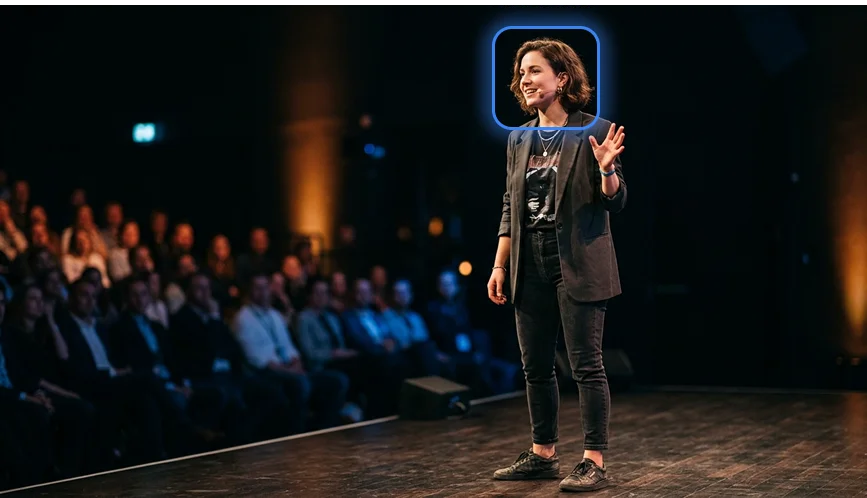
Christin
Active
At live events, every second counts
Alongside a professional production team and the right technology, time, speed and flexibility are the decisive factors — enabling event organisers to deliver successful events.
- Reliable even with last-minute speaker changes
- Persons are recognised despite visual changes such as sunglasses, a new hairstyle or a different look
- GDPR-compliant & secure through local AI
Recognition of persons in real time
Speaking-time measurement & analytics
Local AI for better data privacy
Full control over your event
Lower thirds generated in real time
Relief for the entire production team

Visual face recognition
for event production teams in real time
Everything iveo Speaker Detection offers. In real time.
Local AI Speaker Recognition
The local AI uses dlib HOG + ResNet 128D for face recognition — maximum performance with full data privacy, no cloud dependency.
Multi-Camera Support
USB webcams, built-in cameras and professional capture cards — Blackmagic, Magewell, Elgato, AJA, AVMatrix.
Temporary Person Identification
Click on a detected face in the live view to manually assign the speaker — as a fallback or correction.
Automatic Programme Polling
Programme changes are detected automatically. New speaker lists are loaded without the operator having to intervene.
Event History
Quick access to the last 5 events. No searching or setting up again — ready to go instantly.
Ready to Go Instantly
Ask your iveo Event Owner — they'll create a licence key for you directly. Download the app, enter the key, start immediately.
Optimised for Multiple Stages in Parallel
Multiple camera feeds and stages can be monitored simultaneously — ideal for large conferences and multi-stage events.
From camera to live production — fully automatic
In five steps, the app identifies the active speaker and controls your event production in real time.
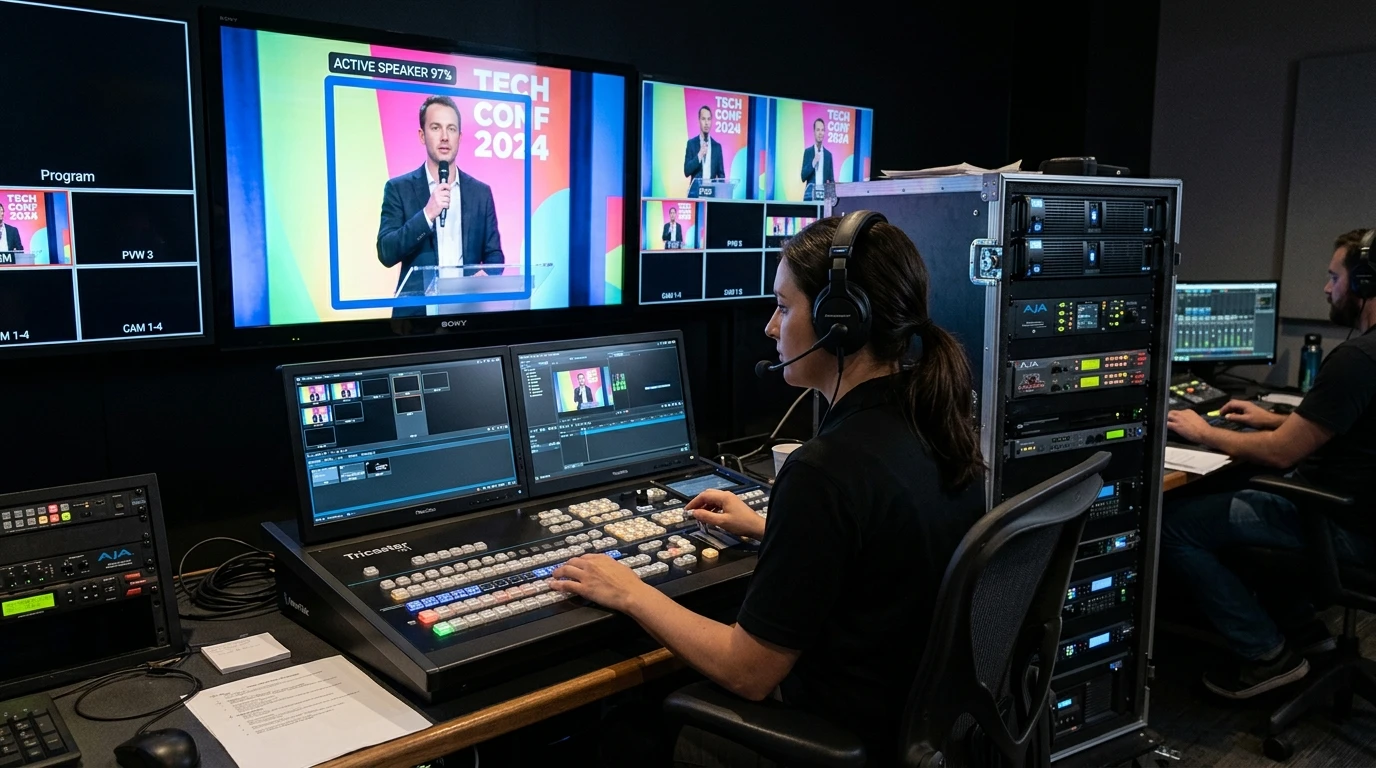
Example illustration. Recognition values shown are indicative.
Camera captures the stage
Connect a camera — USB webcam, built-in laptop camera or professional capture card. The app automatically detects all available cameras.
Local AI detects faces
The local AI (dlib HOG + ResNet 128D) analyses the camera feed in real time — directly on your device, without any cloud connection.
Speaker is identified
The local AI matches the detected face against reference images from the iveo platform — with configurable recognition threshold and confidence score.
Automatic assignment
The recognised speaker is transmitted to the iveo event platform in real time. The live production knows instantly who is speaking.
Programme changes automatically
When the programme changes during a live event, new speaker lists are loaded automatically — without manual intervention.
Why speaker recognition makes the difference
Events with rotating and partly unknown speakers are a constant challenge for technical operators
Lower thirds for professional events and TV formats are created individually in graphics programmes — every change costs time and money
Incorrect captions or erroneous information cause stress, uncertainty and reputational damage
Last-minute programme changes can barely be updated across all systems in time
All speaker information in iveo is always up to date — automatically assigned to the correct person via face recognition
The lower third is automatically assigned to the recognised speaker — operators confirm and trigger it with a single click
Full control — only speakers who have been clearly identified are selected
Last-minute changes and recognition attributes can be reviewed and adjusted in iveo before every event
Fine-tuneable — for every stage situation
All parameters can be adjusted directly in the app to optimise recognition for your setup.
| Parameter | Default | Description |
|---|---|---|
| Recognition threshold | 0.55 | How confident the recognition must be (0.0–1.0) |
| Cooldown | 2.0s | Minimum time between speaker changes |
| Recognition interval | 800ms | How often a frame is analysed |
| Programme polling | 10s | How often programme changes are checked |
Download now and test free with iveo Produce
Available for macOS and Windows. Always the latest version, with automatic updates.
macOS
- macOS 12.0 Monterey or later (recommended: macOS 14 Sonoma+)
- Intel (x86_64) or Apple Silicon (M1, M2, M3, M4)
- Minimum 2 GB RAM (4 GB recommended)
- ~500 MB free storage
- Capture card or USB camera
- Internet connection required
Installation guide
- Download the DMG and double-click to mount it
- Drag the app to your Applications folder
- Launch the app — notarized by Apple, no warning
- Enter your licence key — done!
Windows
- Windows 10 (64-bit) or later (recommended: Windows 11)
- x64 processor, Intel or AMD (no ARM/Windows on ARM)
- Minimum 2 GB RAM (4 GB recommended)
- ~500 MB free storage
- Capture card or USB camera
- Internet connection required
Installation guide
- Download and unzip the ZIP file
- Run
iveo Speaker Detection.exe - Confirm the Windows Defender warning
- Enter your licence key — done!
Camera Compatibility
Security hardening release: event authorization on all endpoints, path traversal protection on downloads, pickle replaced with JSON, automatic JWT refresh, signature verification on auto-updates. Notarized by Apple.
Frequently Asked Questions
How do I get a licence key?
Ask your iveo Event Owner — they can create a licence key for you directly via the iveo platform. Enter the key and you're ready to go.
Are updates installed automatically?
Yes. The app automatically checks for new versions. Updates are downloaded in the background and can be installed with a single click.
Which cameras are supported?
Any UVC-compatible USB camera, built-in laptop cameras and professional capture cards (Blackmagic, Magewell, Elgato, AJA, AVMatrix). Recommended resolution: 720p or higher.
Is any data sent to the cloud?
No. Face recognition runs entirely locally on your device. Only the result — which speaker was recognised — is transmitted to the iveo platform.
Does the app work on macOS and Windows?
Yes. Speaker Detection runs on macOS 12+ (Intel & Apple Silicon) and Windows 10+ (x64).
Is there a log export for support?
Yes. The app offers comprehensive logging with an export function. Logs can be sent directly to iveo support from within the app.
Ready for automatic speaker recognition?
Download iveo Speaker Detection now and experience how automatic face recognition takes your live event production to the next level.