


Get started
Code of conduct for your event
Set up a code of conduct that every member reads and accepts before seeing the event, with proof per person and version, reminders and a CSV export.
Many events require a signed code of conduct from everyone involved before they start working. In iveo you set it up once, and every person working in the event reads and accepts it before they even see the event. Who accepted which version, and when, stays traceable.
Sample data from a demo event.
Setting up the code
A producer finds the code under Settings → Code of conduct, on the main event only: sub-events take over the code of their main event, and one acceptance covers the whole event family.
You write the text in the “Deutsch” and “English” tabs, as formatted text with headings, lists and links. If the English version is missing, everyone sees the German one. “Save draft” keeps your work without anyone noticing. Only “Publish as new version” makes the text binding and raises the version number; iveo asks first, because every new version has to be accepted again by all members. So collect typos and publish them in one go. Below the editor you see which version applies since when, who published it and how many members have accepted it.
The “Require acceptance” switch turns the obligation on. It can only be switched once a version is published. While it is off, nobody sees the code.
What members see
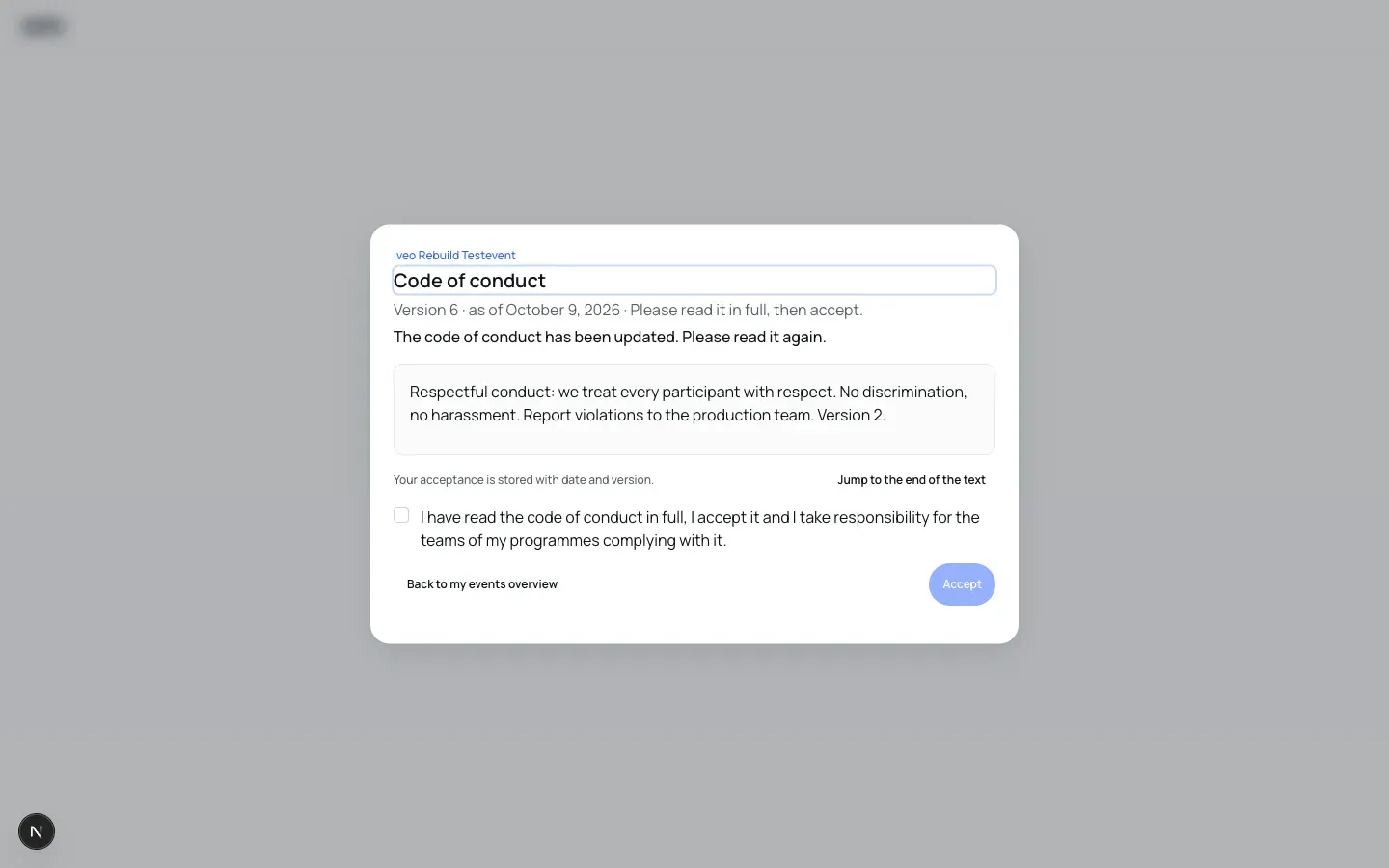
With acceptance required, the code appears as a dialog the next time a member opens any page of the event, and it cannot be dismissed. The person reads the text to the end; only then can the declaration be ticked and “Accept” pressed. Keyboard and screen reader users jump to the end with “Jump to the end of the text”. The declaration reads: “I have read the code of conduct in full, I accept it and I take responsibility for the teams of my programmes complying with it.” The only other way out of the dialog is “Back to my events overview”, which leads to the lobby.
This applies to every role in the event, producers included, once per person and event. Whoever uses iveo in German sees the German version, everyone else the English one. When you publish a new version, the dialog appears again with the note “The code of conduct has been updated. Please read it again.”
iveo stores every acceptance with date, language and text version. That lets you prove at any time who accepted which version.
Publishing only after accepting
Organisers, Programme Organisers and Editors cannot publish a programme item, a person or an organisation without accepting the current version. When they click “Publish”, the dialog shows the code first (“Accept the code of conduct first”); “Accept and continue” takes them on to the usual publishing step. The block is enforced on the server, not just in the interface. Producers are exempt, so that publishing the whole programme in one go never hangs on a missing acceptance.
Who has accepted
On the Team page, the “Code of conduct” card shows a producer how many members have accepted the current version and how many are still pending, with a progress bar and a table per person: role, status (“accepted” with date and version, “pending”, or “pending” with the version accepted last) and the “Remind” action.
“Remind” sends the person an email with a link to the event, at the earliest every 24 hours; during that period the button is replaced by a note saying when the last reminder went out. “Export CSV” downloads the list with name, role, status, version and time of acceptance, without email addresses. The file is created in your browser; iveo keeps no copy.
Data protection
Only members of the event see the text of the code, never visitors of the event website. iveo stores an acceptance without a name, only with the person as an account, the time, the language and the version of the text. It is visible to the person themselves and to the event’s member management. Your own acceptances are part of the self-service export, described on the Data protection and hosting page; they are deleted when the account or the event is deleted.