


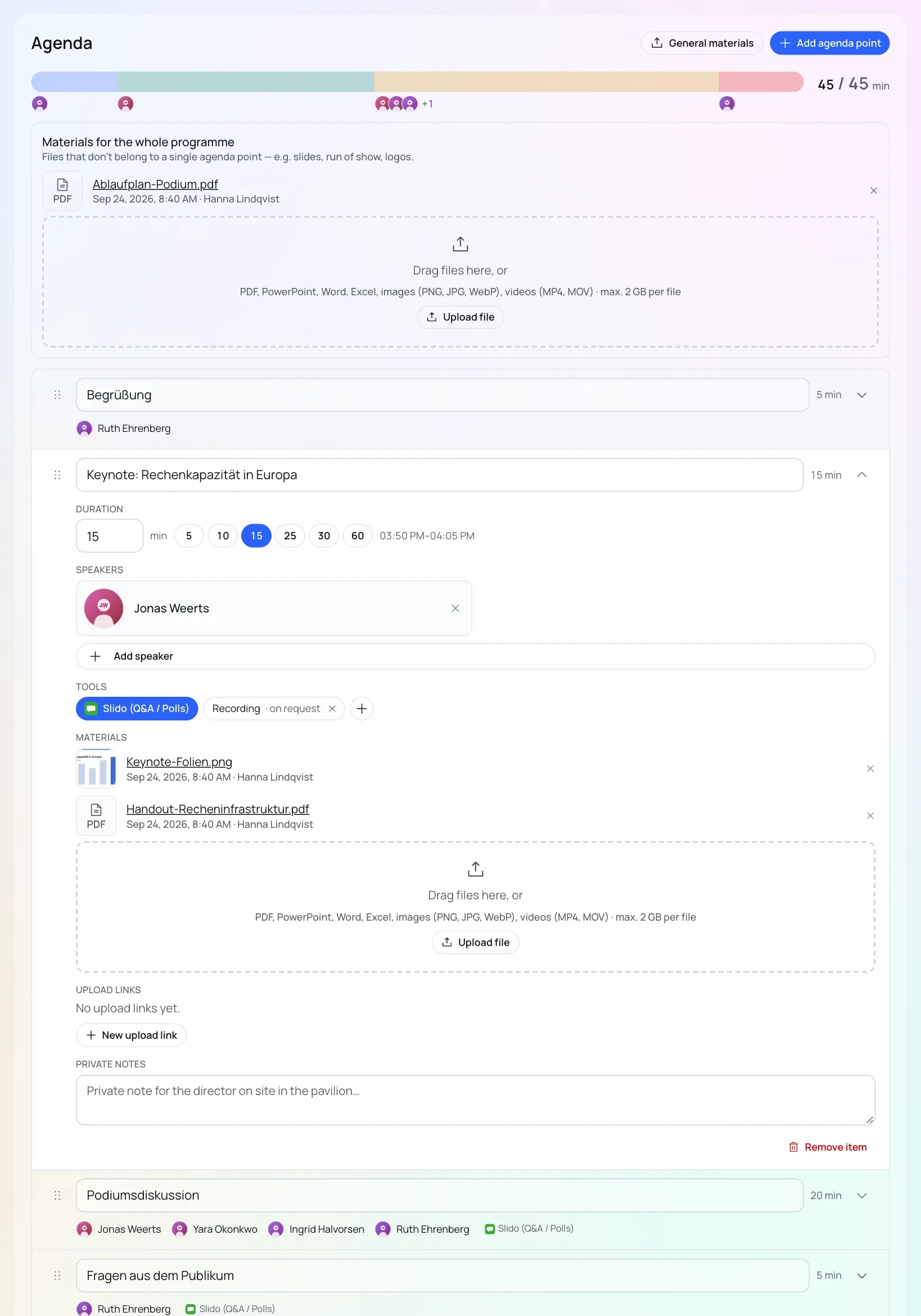
In iveo, material sits directly on the agenda point of the programme item that needs it: the slides for the keynote, the video for the clip, the PDF for the panel. There is no separate file folder for it. Each file shows a preview, the date and who uploaded it. You open images, PDFs and videos right in iveo and download other files. Collapsed, each agenda point sums up how many materials are attached.
Collecting material from external people
Speakers and partners often have no iveo account. Upload links are for them: you create the link on the agenda point and pass it on, and the person submits their material through it without logging in. That way the presentation lands on the right agenda point instead of in an email attachment.
Files that do not belong to a single agenda point, such as a presentation, a run of show or logos, go in via “General materials”. They sit at the top of the agenda and in the moderation briefing, so the moderator finds everything in one place.