


For communications and programme leads
The public event website
What of your data becomes public, who releases it and how the site looks — programme, speakers, organisations and partners.
The data your team maintains anyway becomes a public event website. You look after the programme once — the website follows as soon as you let it.
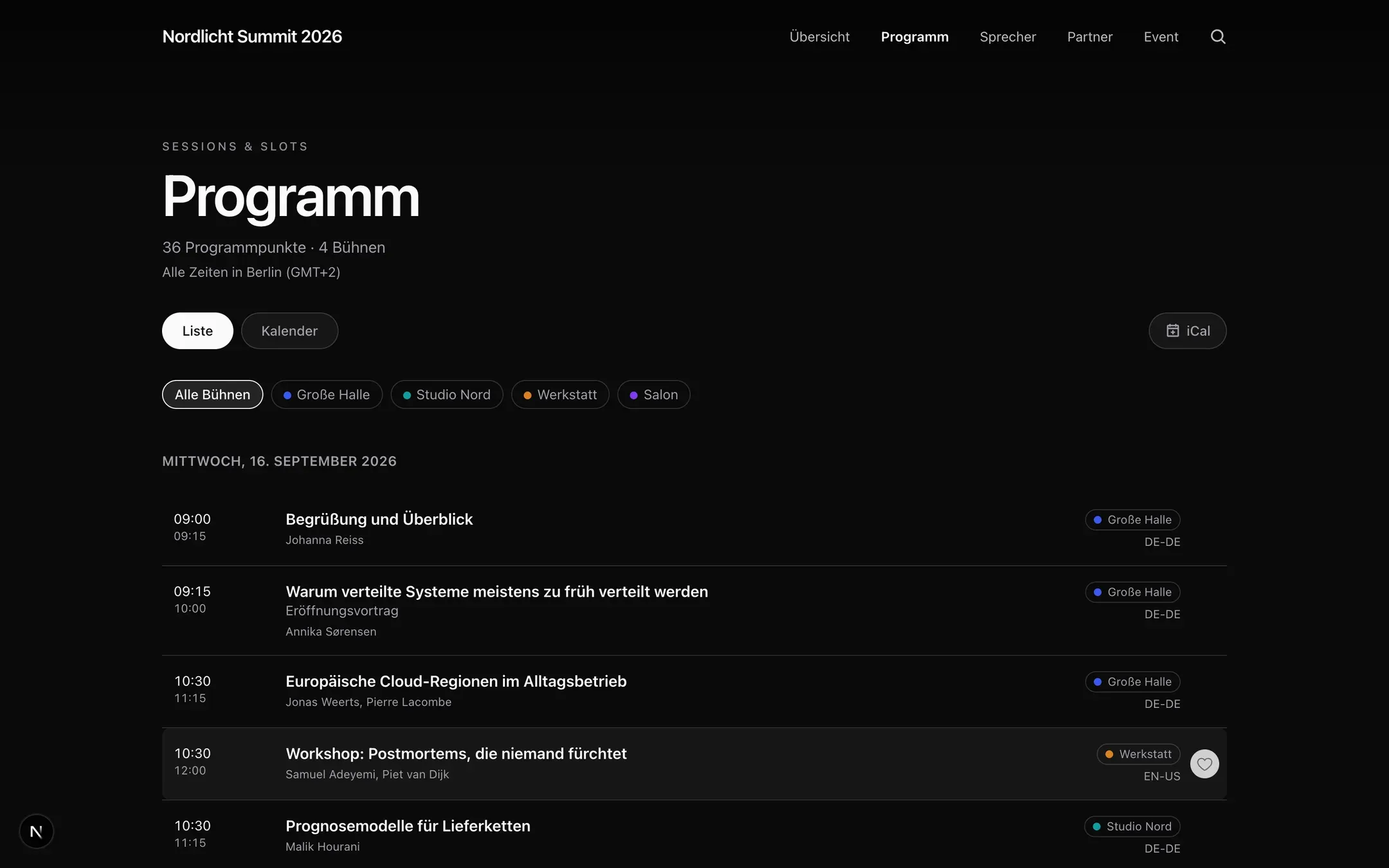
Sample data from a demo event.
Publishing is a deliberate step
Nothing becomes public on its own. You release what should go out, and the public site reads only that released selection. An unfinished programme item, an internal note or a person not yet confirmed simply do not exist for visitors — not hidden, but never there in the first place.
You can release individual pieces of content or the whole event at once. Before you do, the release dialogue shows what has changed since last time.
What the site contains
- A home page with your own opening.
- The programme in four views: list, cards, calendar and — for multi-level events — a timeline with one row per stage.
- Speakers and organisations, each with detail pages.
- About, search and a personal shortlist.
- Calendar export, so guests can put sessions into their own calendar.
All times appear in the event’s time zone, and the site names it — “All times in Istanbul (GMT+3)” — instead of leaving visitors to guess. While the event is running, a line marks the current moment in the programme.
Design
You pick a template and bring your own branding: colours, logo, hero image. The home page is a freely sortable list of blocks — countdown, trailer, key figures, topics in focus, speakers in focus. Each block hides itself while its data is missing, so there is nothing to tidy up that is not there yet.
Individual sections can be hidden. If you want to go live weeks before the programme is finished, switch the programme or speakers off for the time being: they disappear from navigation, footer and sitemap, and their addresses lead to the home page rather than an error page.
Who releases
Designing the website, publishing the event as a whole and connecting your own domain sit with the Producer role. Organisers and Editors may release individual pieces of content — and a Programme Organiser may do so for exactly their own programme items. The details are in Roles and permissions.
Under your own address
By default the site runs on an iveo address. You can put it on your own domain — your address then stays in the address bar, with no third-party branding. What your IT needs to do is covered in Connecting your own domain.
Last updated: 9 September 2026