


For programme leads
Submissions and calls for sessions
How you collect contributions publicly, review them as a team and turn them into programme items — without a form tool, a spreadsheet and an inbox side by side.
Anyone who does not fill a programme alone collects proposals. In iveo that happens inside the same system the programme is later built in — there is no transfer from a form tool into a spreadsheet and from there into the schedule.
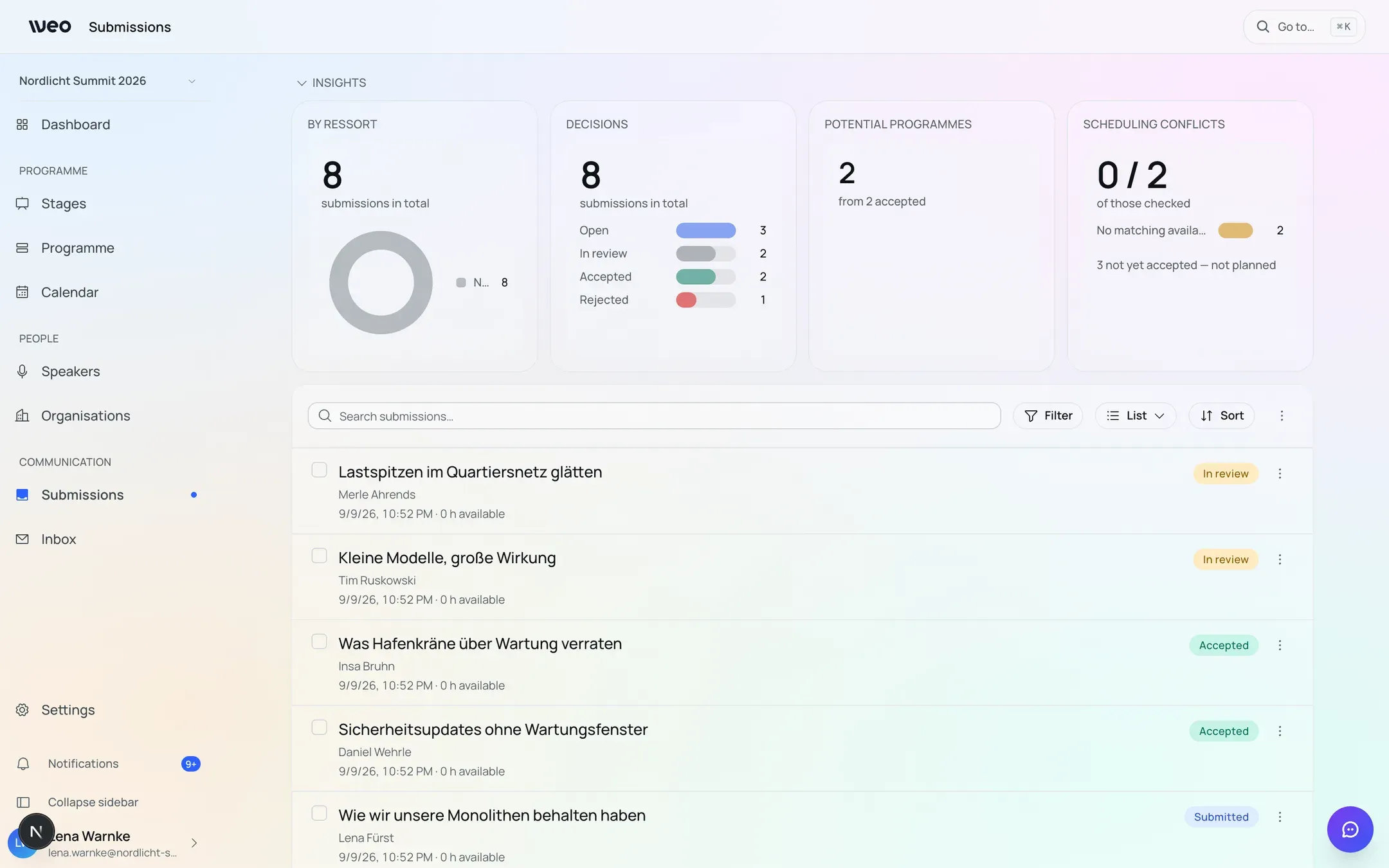
Sample data from a demo event — all names and titles are invented.
The path a submission takes
- Public form. Whoever submits needs no access and no account — a link is enough.
- Email confirmation. The person submitting confirms their address. That makes the contribution formally received.
- Team review. You sift, sort and assess what comes in.
- Accept or decline. A rejection requires a reason and goes out as a message — never silently.
- Into the programme. An accepted submission becomes a programme item, along with its people, organisations and topics.
What you configure on the form
Alongside the standard fields you can ask your own questions — exactly the ones your format needs. Every step of the form can carry its own explanatory text so that people submitting understand what you expect.
The submission deadline ends at the end of the day in the event’s time zone, not the browser’s. The field names that zone explicitly, so nobody has to do the arithmetic.
People who submit can still edit their contribution through a personal link for as long as it is under review.
Reviewing as a team
The overview is yours to compose: you choose which fields appear as columns — including the custom questions from your own form — drag them to the width you want, reorder them and save the result as a named view. The choice is per person and follows you across devices; if you change nothing, you keep the default.
Status changes, topic assignment and internal notes can be made straight from the list. Above it sit metrics you can switch off: how contributions spread across topics, how far decisions have progressed, and where the planning conflicts are. For everything else there is a CSV export.
Contributions that belong together
Sometimes two organisations submit the same idea. Such contributions can be marked as a group: they remain separate submissions with their own title and their own edit link, but are handled together — one drag in the calendar places every member in the same slot.
A group can become one programme item. You compose the title and description in that step; people, organisations and topics from all contributing submissions come along.
The people who submitted are not told about the grouping — not by email, not through their edit link. That is deliberate: your internal sorting is none of their business.
After acceptance
When moving a submission into the programme, you can invite the person who submitted it directly as a Programme Organiser. They then land on their programme item rather than a generic sign-up page, and maintain it themselves from that point on — without visibility into anyone else’s contributions.
The option is switched off by default everywhere; you decide deliberately who you bring in. How far such a person’s permissions reach is covered in Roles and permissions.
Last updated: 9 September 2026