



Before a programme item can go anywhere, it needs a stage: the room or area it happens in. You set up stages once while building the event, and you can search them, put them in order, archive them and restore them. On the calendar the stages are the columns, and their colour shows you at a glance where a programme item is running.
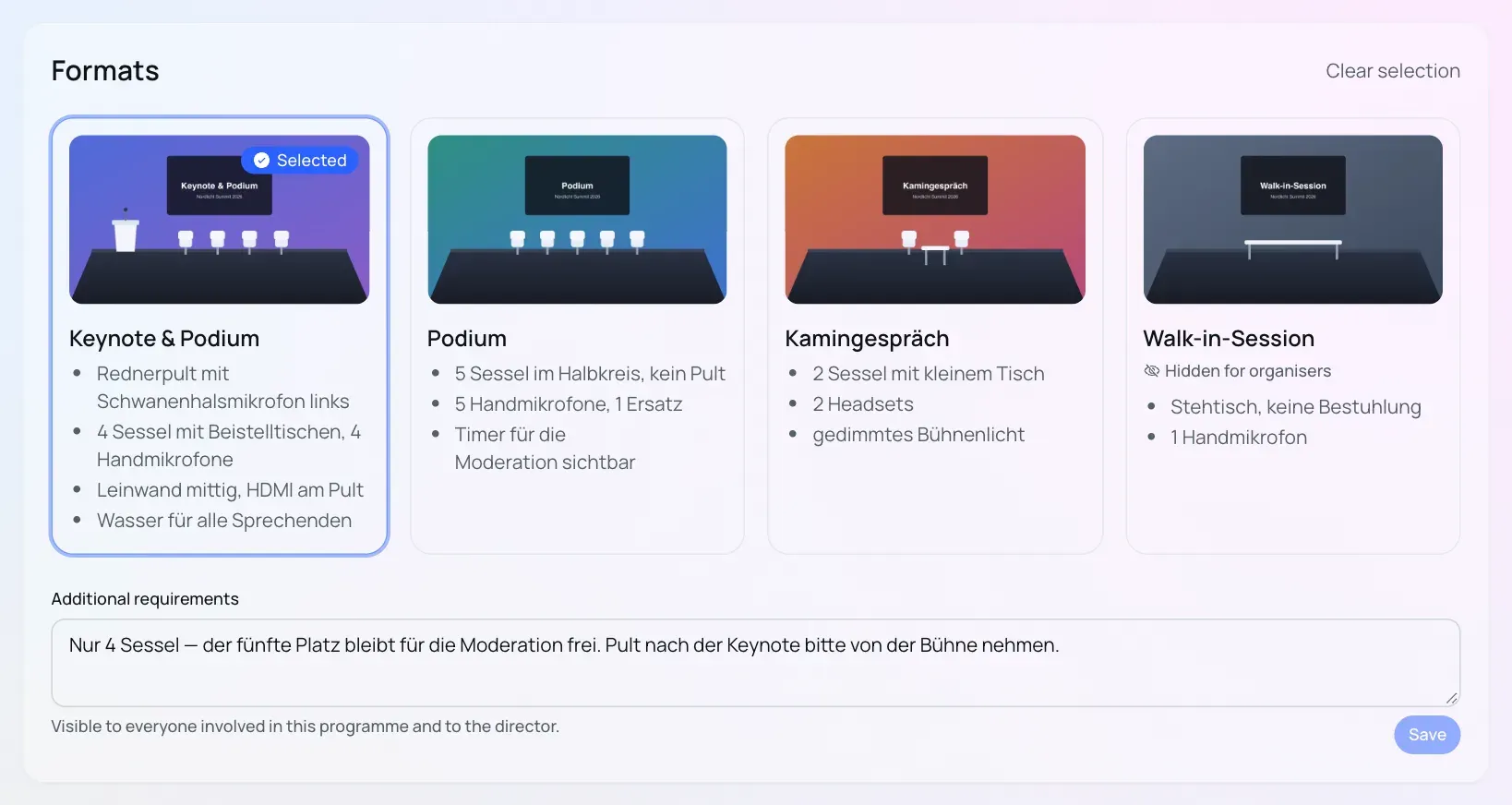
The technical equipment does not belong to the stage but to the format. A format uses a photo or sketch to describe how the stage is set up: how many chairs, whether there is a lectern, how many microphones. Programme Organisers choose the format for their own programme items themselves. Once chosen, it sits on the programme page below live access as a small card with the additional requirements, and “Edit format” opens the full box again.